VictronConnect version 6.40
This update to the VictronConnect app is all about convenience and connectivity. Released today, VictronConnect version 6.40 includes a range of updates designed to simplify system monitoring and management for both end users and professionals. Let's take a look at what's new.
For installers, this can mean the ability to walk up to any installation with any type of laptop and be able to immediately connect and configure product settings without the need for additional tools. It can also mean easily reviewing an old system configuration or identifying a problem with an individual battery in a battery bank without needing to travel to the site.
For end users, this can mean checking their system from their phone, in whatever theme they choose, and getting a more detailed picture of what's going on, wherever they are.
New features and connectivity
Bluetooth connectivity now on Windows
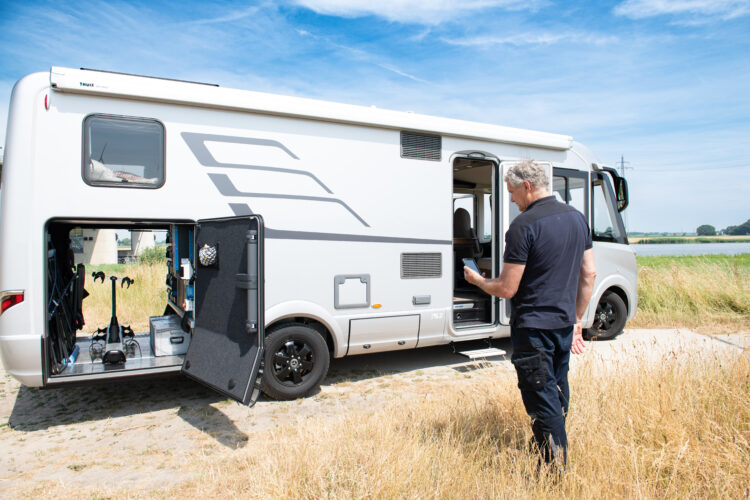
Many installers rely on a Windows laptop for on-site configuration, monitoring, and troubleshooting of Victron Energy products. Until now, this meant a wired connection, such as a VE.Direct to USB cable for products like MPPTs and DC-DC chargers, or an MK3-USB cable for VE.Bus products like Multis and Quattros, regardless of whether the product was Smart (had built-in Bluetooth) or not.
With this update, the VictronConnect app now also supports Bluetooth connectivity for Windows laptops, so installers can connect to Victron Energy Smart products wirelessly, just as Mac laptops or iOS and Android phones already do.
One less cable to look for in the toolbox, and one less thing to lose. The wireless connection also gives users the freedom to stand further away from the device while working.
Access settings files without needing the same app version
The VictronConnect app has long had a "Demo" feature, where, among many other functions, a saved settings file can be loaded via the settings file manager, and the app then displays it as if connected to a real product. It provides a full snapshot of settings, readings, and history available for inspection, with only an orange "DEMO PRODUCT" banner as a reminder that no physical device is actually connected. This allowed installers and end users to view a system's configuration without being on site or connected to the actual product.
Until now, this inspection trick had one quirk: it only worked if the settings file was saved using the exact same version of VictronConnect that is installed on the device performing the inspection. Because the VictronConnect app updates automatically, this sometimes complicated things a bit. A file saved by a customer on whatever version quietly updated on their phone last week often simply wouldn't open for the installer, even on a newer version of the exact same app.
With the new VictronConnect version 6.40, any settings file created in VictronConnect v6.30 or newer can now be opened for inspection regardless of which version is currently installed (provided it is v6.40 or newer), helping to speed up inspections.
Remote monitoring and analysis
See every battery in the bank from anywhere
Speaking of quick checks, wouldn't it be handy to remotely view the details of individual batteries in a battery bank, without having to travel to the site?
A battery bank is only as strong as its weakest link, and traditionally finding that weak link meant being physically present at the installation site. With this release, individual battery details from the Lynx Smart BMS NG, including voltage, temperature, and the status of each unit, are now visible over a remote connection, not just locally.
For fleets, remote sites, or any system where a service visit is expensive or takes a long time to organize, an anomalous battery can now be spotted right from the desktop, giving a clear picture of what's going on before the installer even packs their van.
SolarSense 750 data, now ready for further analysis
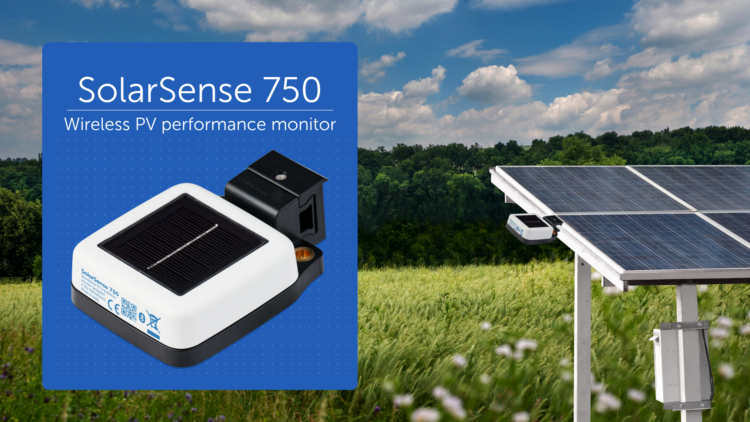
We recently introduced the SolarSense 750 — a compact wireless solar (PV) performance monitor designed to optimize solar energy use and monitor the health of a PV installation. It measures light levels, available power, estimated daily min/max solar power (kW) and estimated daily generation (kWh), while maintaining its own history log. However, until now, this history remained solely within the app.
With VictronConnect v6.40, these historical data can now be exported directly into CSV format. For installers and integrators conducting performance analysis, it is now easier to verify expected solar generation against what the system actually produces, determine the optimal position and angle for panel installation, or prepare a report for a client.
Your app, your look
While most of the features we've mentioned will be appreciated primarily by professionals, VictronConnect v6.40 also includes a new feature for everyone who regularly uses the app, such as a new dark mode.
The app can now automatically follow the system theme of your phone or laptop, or you can manually enable light or dark mode independently of your settings.
Summary
VictronConnect version 6.40 provides installers and distributors with a faster way to connect on site, easier remote access to system history and battery status, and a more flexible way to inspect settings files. For end users, it means an app that looks exactly the way they want and works more conveniently on their phone, regardless of where they are checking from.